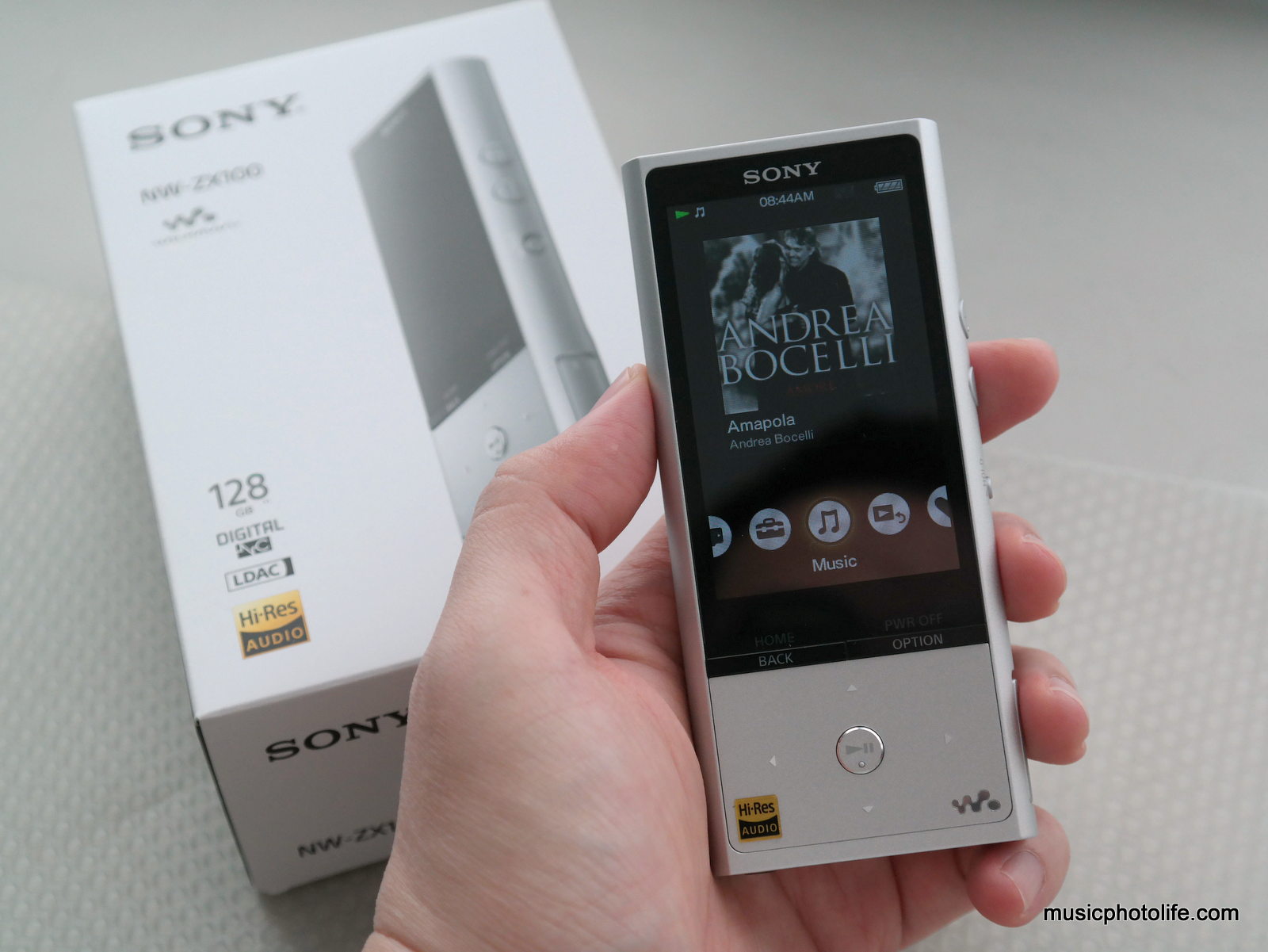
After experiencing the NWZ-A15 early this year, Sony recently launched the new A20 series with some hardware improvements and more colour choices. But the new A20 still does not support the 24-bit DSD file format.
The ZX100, however, does. So I asked Sony Singapore for a review unit. Sony also passed me the NW750N digital noise cancelling earphones that works with selected Sony products.
Can You Really Hear 24-bit Hi-Res Audio?
I explored the question when I reviewed the A15. My quick answer is: the difference is not big enough to wow me. The only reason why it sometimes appears so is because Hi-Res tracks are specially mastered to bring out the high frequency. Most music rarely hit beyond 22kHz, and even if they do, we barely notice.
Having said that, purists feel that the missing high frequency makes music less authentic. It’s like a digital photo: on the whole, it looks good, but when you scrutinise the image, you will find pixelation, the highlights are blown white, the shadows have no details.
In addition, you need really good audio speakers or headphones to produce the high frequency information.
So, if you really want to experience amazing 24-bit Hi-Res audio, you need the full package: good audio file, compatible music player, great speakers.
For the rest of us, having a music file in Hi-Res format is an assurance that the song we have is of the highest distortion-free audio quality.
ZX100 Digital Walkman

The ZX100 is a solid-built hefty player compared to the A10/A20-series, as its full-metal body is meant to cut off any external interferences. The rear panel has a rubberised surface with a protrusion at the lower section, a signature design feature of high-end Sony Walkmans. Its hardware buttons and placements are identical to A-series, while the user interface is slightly varied, such that the menu icons are at the bottom row with the audio track appearing at the top. This UI allows me to change tracks on the menu page. In comparison, the A10/A20 menu page is filled with menu icons, and I would need to go back to the music page to change tracks.

Since the ZX100 can play DSD, I threw in some files which I downloaded from the Sony Hi-Res Audio library and compared. Just as I mentioned above, I could only detect minor differences between DSD and Hi-Res FLAC or WAV files that the download library provided per song.
A single charge on the ZX100 can last up to 70 hours, but when listening with noise cancelling and DSD files, the battery can still last 24 hours.
Audio Effects
Where I think 24-bit audio advantage comes in is when you apply sound effects. Because there are so much audio details, manipulating them will result in a more natural less distorted sound. I would compare that to trying to edit a JPG-compressed photo instead of RAW image. With RAW, you can change the white balance or modify exposure levels, but on JPG the result would be lossy and unnatural.
Audio effects, therefore, is like preset photo effects, to create the mood and alter the texture, for better or for worse. I find Sony’s audio effects are generally subtle in some cases, and useful in others. The DSEE HX improves the hi-treble response which otherwise cannot be tweaked with normal EQ settings. The Sound Settings menu contain Equalizer presets, VPT (Surround) effects, and a new “Clear Stereo”.
ClearAudio+

I seldom apply audio effects to my music, but I find ClearAudio+ intriguing. Once you turn on, the music magically transforms, the treble range instruments spreads out, the bass gets more kick and more boom (sometimes too much). The consequence of this transformed sound is recessed mids. I recommend this effect on Classical or instrumental music. Basically, if you want to open up the recording to make it more sparkly, detailed and impactful, turn this effect on.
Bluetooth Audio Quality
The ZX100 supports apt-X, SBC, and Sony-proprietary LDAC codecs. I have tested several Bluetooth headsets that paired to the ZX100 using SBC codecs, and initially the treble frequency is badly distorted, while the same headsets sound fine on smartphones. As for apt-X, distortion was not as obvious, only at high treble.

Fortunately, I found out that Bluetooth setting menu is able to fix the appalling sound quality. Just select “Prioritize Sound Quality” instead of “Standard” which forces the Bluetooth connection to select the better quality option. And with that, the Bluetooth audio becomes free from distortion.
Under the same menu, I also found that I can enable sound effects, like Equalizer Presets, Virtual Surround and ClearAudio+, also to Bluetooth audio, something that smartphones usually don’t support.

The above 2 features are also available in A10/A20 series Walkman.
ZX100 vs. A10 series
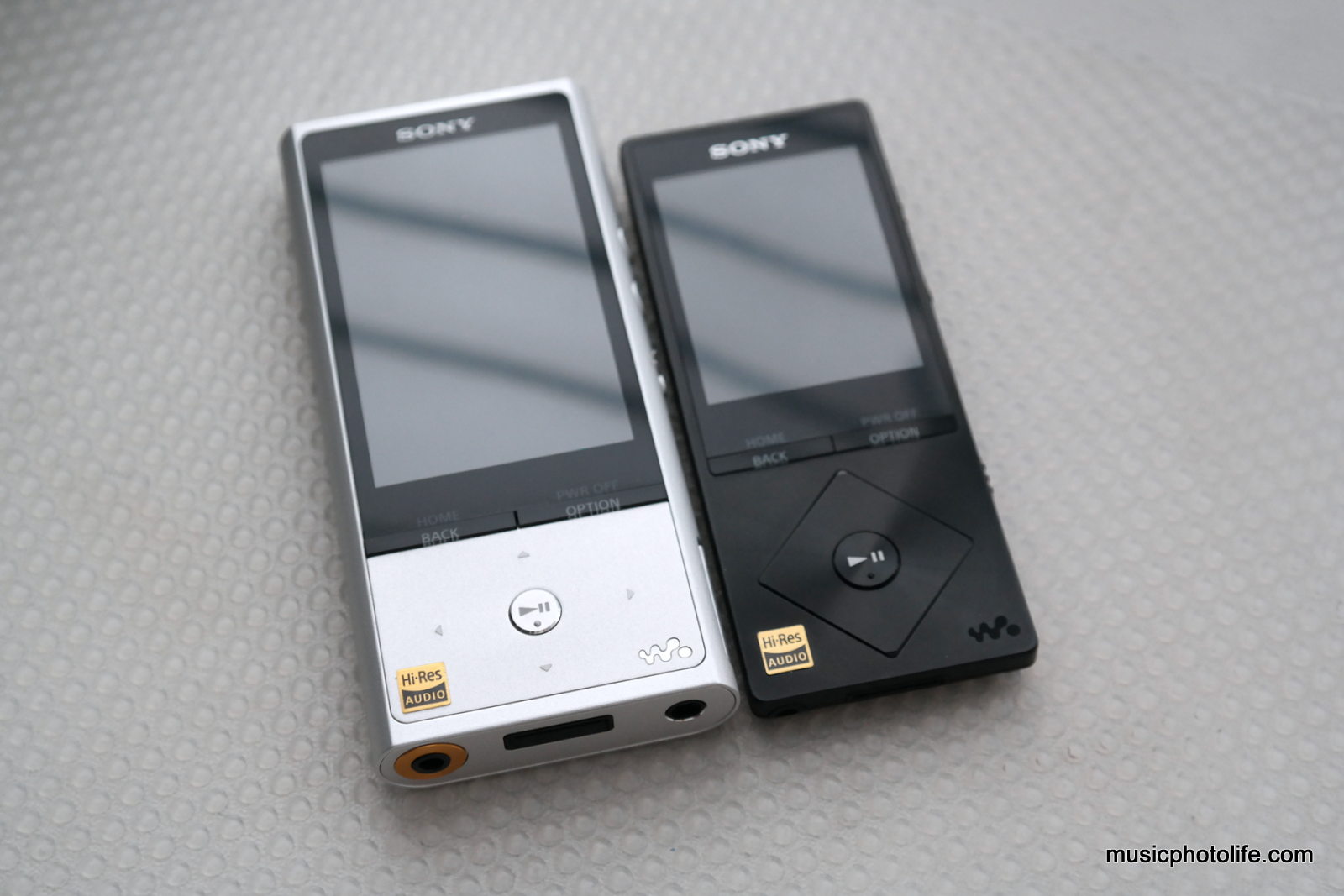
I did a audio output comparison between the NW-ZX100 and NWZ-A15. The ZX100 has slightly brightened the treble frequency to bring out clarity, tweaked the mids to sound slightly cleaner and less boomy, and improved the sub-bass response to be more defined in tone. The overall feel compared to A10 series is more detailed and less warm. While the tweak is very slight, it does offer me a slightly improved acuity. About the volume, the ZX100 is just louder by just 1-2 levels out of 30. For demanding headphones like Fischer Audio FA-011, I had to max out the volume.
The ZX100 does not support video and photo playback nor FM tuner, while the A10/A20 does. I didn’t use the video playback feature much since the screen size and resolution is just too small to matter. The photo viewer is useful on my A15, allowing me to change wallpaper. With the larger screen size on the ZX100, I thought it would be lovely to support video playback, but Sony has catered for this purpose with a separate Video Walkman model.
Reviewing MDR-NW750N

The NW750N is a pair of earphones with digital noise cancelling, which means the noise cancelling only works with selected devices. It is sold separately, and comes bundled with A26HN. The plug has 5 pinouts to transmit noise cancelling data. As a result, the earphones does not work with smartphones or devices with 4 pinouts. For normal 3-pinout devices, the NW750N works fine.

When listening to the NW750N without activating any features on the ZX100, I find the mid-treble doesn’t sound neutral, the bass is heavy and boomy (albeit without distortion). In short, it sounded terrible.
When I changed the ZX100 settings and picked the “MDR-NW750N/NE” headphone option, the sound changes completely. The treble becomes pleasantly brighter and acoustically correct. The bass, on the other hand, is recessed and less boomy. In short, this setting made the NW750N a lot more balanced and contains the signature Sony sound of clear treble, clean bass. I like the NW750N sound, which makes music clean, but could get fatigue if listening to long hours due to the heightened highs.

Selecting the correct headphone option on the ZX100 also activates the digital noise cancelling option, which removes the low frequencies but not the higher frequencies, like most other noise cancelling devices. The noise cancellation on the NW750N has minimal effect when music is playing at moderate volumes. I feel the noise isolation advantage only when listening to soft music. The ZX100 even has a “Quiet Mode” which basically activates the noise cancellation without any music playback.
It is to note that the NW750N might not be the best earphones for listening Hi-Res music, for the frequency response is only limited to 5 to 24,000 Hz.
Overall Verdict
The ZX100 is a premium digital Walkman that plays Hi-Res audio files with careful details. For existing A10-series owners, this upgrade will improve the sub-bass and overall clarity subtly. The additional audio effects offer options to tweak the audio for varied listening.
The NW750N earphones are designed to work with ZX100 and the new A20-series Walkman. I enjoy listening on them for clear detailed open-stage treble and clean bass.
The products are available now at all Sony Stores, Sony Centres and selected Sony authorised dealers.
Specifications
NW-ZX100
Available color: Silver
Internal memory: 128GB
External memory: microSD, microSDHC, microSDXC
Display size/ Resolution: 3.0 inch, TFT color LCD, QVGA (400×240)
Interface: Hi-Speed USB(USB 2.0 compliant), Stereo Mini Jack, WM-PORT (multiple connecting terminal) 22 pins
Output (headphones):
– Frequency response: 20 to 40,000 Hz;
– Maximum Power Output (JEITA 16Ω/m): 15mW+15mW
Compatible formats: FLAC, Apple Lossless (ALAC), MP3, AAC5, HE-AAC, WMA6, Linear PCM (WAV), AIFF, DSD7
Sound effects: S-Master HX™, DSEE HX™, Clear Audio+, Clear Bass, Equalizer, VPT(surround), Dynamic Normaliser
Noise canceling: Full-auto AINC, Bus/Train, Airplane, Office
Battery life: 70 hours (noise-cancellation off, MP3 128kbps), 24 hours (noise cancellation on, DSD 5.6448Mhz)
Charging Time: 5 hours
Bluetooth®: V3.0
Profile: A2DP, AVRCP, OPP
Codec: LDAC™, aptX, SBC
NFC: Yes
Other functions: Display Lyrics, Sense Me™ Channels
Dimension (WxHxD): 53.8 x 119.5 x 14.8 mm (projecting parts not included)
Weight: 145g
Supplied Accessories: USB cable (1) Startup Guide (1) Instruction Manual (1) Spacer (for Portable Amp) (1)
Price: S$699
Product website: http://www.sony-asia.com/support/product/nw-zx100
MDR-NW750N
Type: Closed, Dynamic
Driver unit: 9mm
Sensitivity: 103 dB/mW
Frequency response: 5 to 24,000 Hz
Impedance: 16 ohms
Maximum input: 100 mW (IEC4)
Weight (excluding cable): Approx. 15g
Plug: Walkman dedicated plug
Headphone cable: Approx. 1.1m
Supplied accessories: Earbuds (two each in S, M, L size), Instruction Manual, Clip
Price: S$149
10 comments